🗑️ How to Delete WhatsApp Business API Number?
If you're planning to delete your WhatsApp Business API number, follow the proper steps to avoid any data loss or service disruption. Here's how to do it:
🔌 First: Disconnect the Number from WhautoChat
If the number is connected to WhautoChat, disconnect it there first:
- Go to Integrations and click Edit Setup on the WhatsApp card.
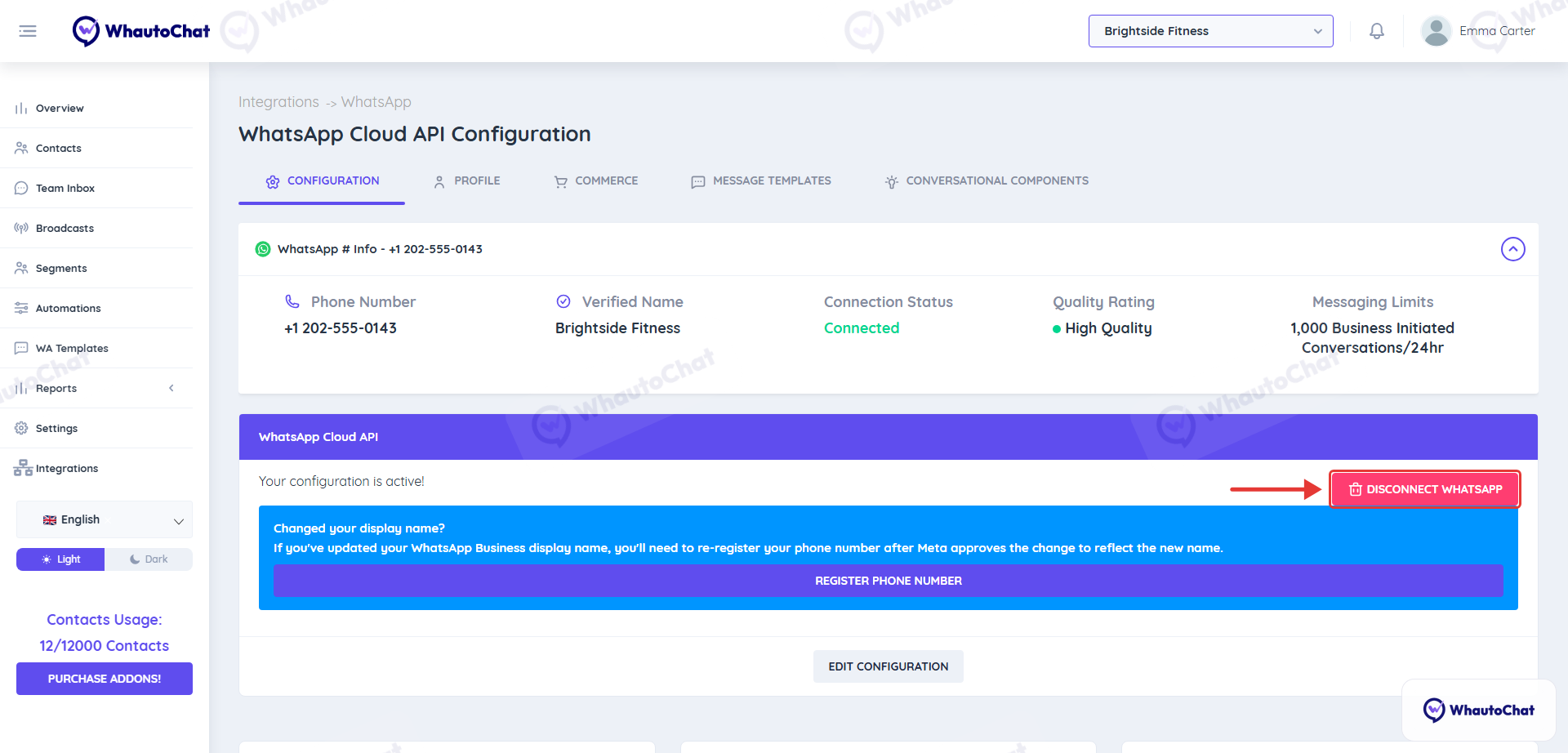
- On the Configuration tab, click Disconnect WhatsApp.
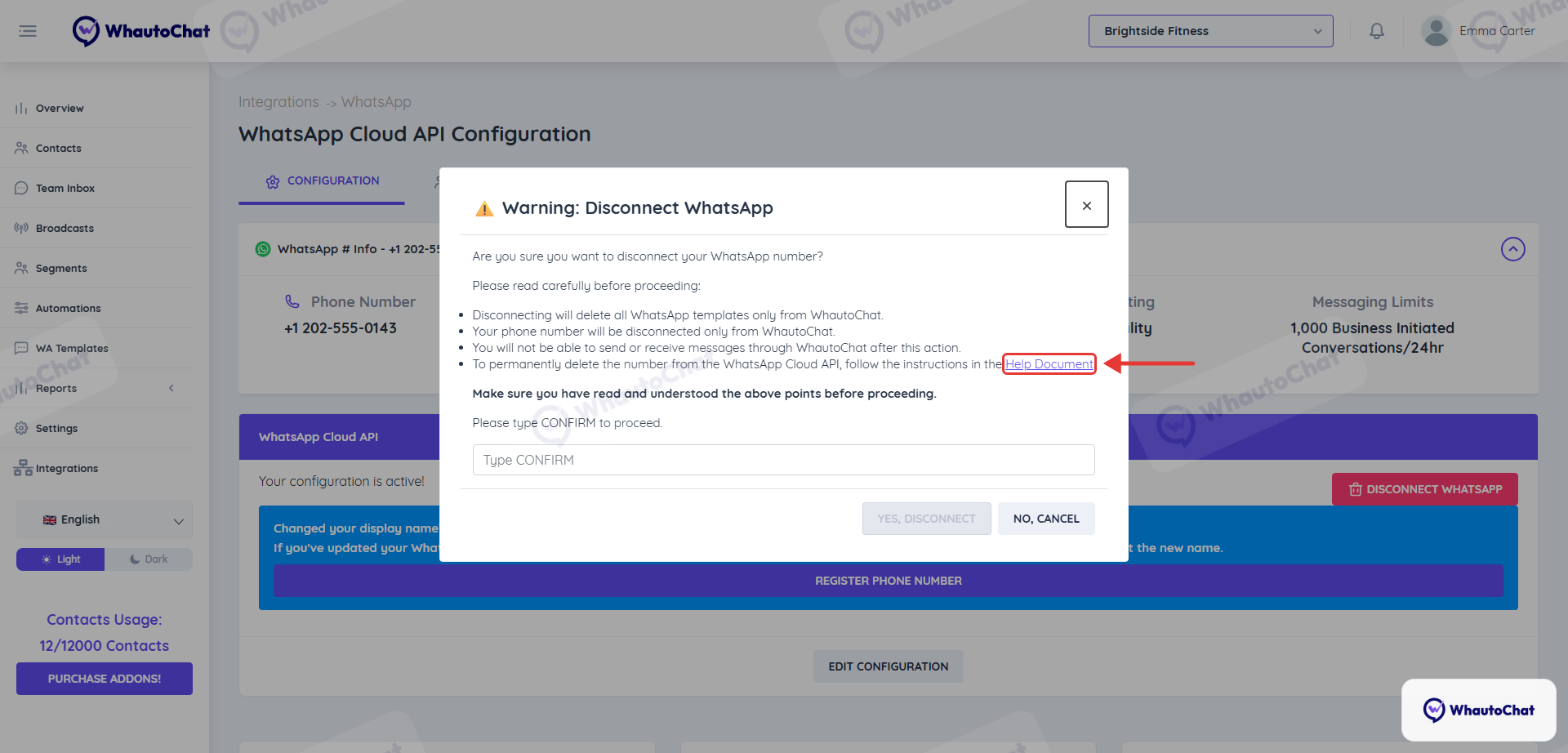
- Read the warning carefully: disconnecting deletes your WhatsApp templates from WhautoChat and you can no longer send or receive WhatsApp messages there. It does not delete the number from the WhatsApp Cloud API.
- Type
CONFIRMand click Yes, Disconnect.
🔧 Step-by-Step Instructions
Visit Meta’s WhatsApp Manager
Go to: https://business.facebook.com/latest/whatsapp_manager/
Navigate to "Phone Numbers"
In the left-hand menu under Account Tools, click on Phone Numbers.
Find and Select Your Number
Locate the WhatsApp Business number you want to delete.
On the right-hand side, click the 🗑️ Delete icon next to it.
Confirm Deletion
A confirmation pop-up will appear. Click the Next button to proceed and confirm the deletion.
⚠️ Important: What You’ll Lose
Once deleted, you will permanently lose access to the following:
- ✅ Your Display Name & Business Profile
- ✅ Official Business Account (OBA) verification status (if any)
- ✅ Messaging Tier & Quality Rating
- ✅ Chat history and Analytics/Insights data
✅ Tip: Backup Before You Delete
Make sure to:
- Download any important chat data or analytics reports.
- Inform your customers or redirect them to an alternate contact point.
- Double-check if deletion is necessary, as recovery is not guaranteed.
By following these steps and guidelines, you can safely delete your WhatsApp Business API number while minimizing disruptions to your business operations.
Need further help?If you need more assistance or your issue isn’t covered here, reach out to our support team at support@whauto.chat - we’re here to help!